Vuframe® Cloud v1.50.3
Changes from September 2026 up to 1.50.3. SmartVu®s imported from Vuframe® Studio now follow Studio on their own, you can choose the preview image of a media file, admins and editors get an email when an app version is published or released, and SmartVu®s can be moved to the trash.
New
SmartVu®s from Vuframe® Studio stay up to date. Every night Vuframe® Cloud takes over the version you shared in Studio; Sync from Studio does it at once. The SmartVu® page shows a Studio Mirror card with the Studio version and an "Update available" badge. The app page warns before a publish when a SmartVu® is behind Studio. New SmartVu® versions now come only from Studio, so the publish and release buttons on SmartVu® pages are gone. (1.45.0, 1.48.0, 1.49.0)
Choose the preview of a media file. Click the pencil on the thumbnail of a media file: pick another PDF page, a video frame or any moment of the video, or upload your own image. A Custom badge marks your choice, and it stays when the file is processed again. (1.45.3, 1.45.5)
Emails on publish and release. All admins and editors of the workspace get a notification and an email with the version's changelog when an app version is published or released. A notification opens a page with its full text. (1.46.0)
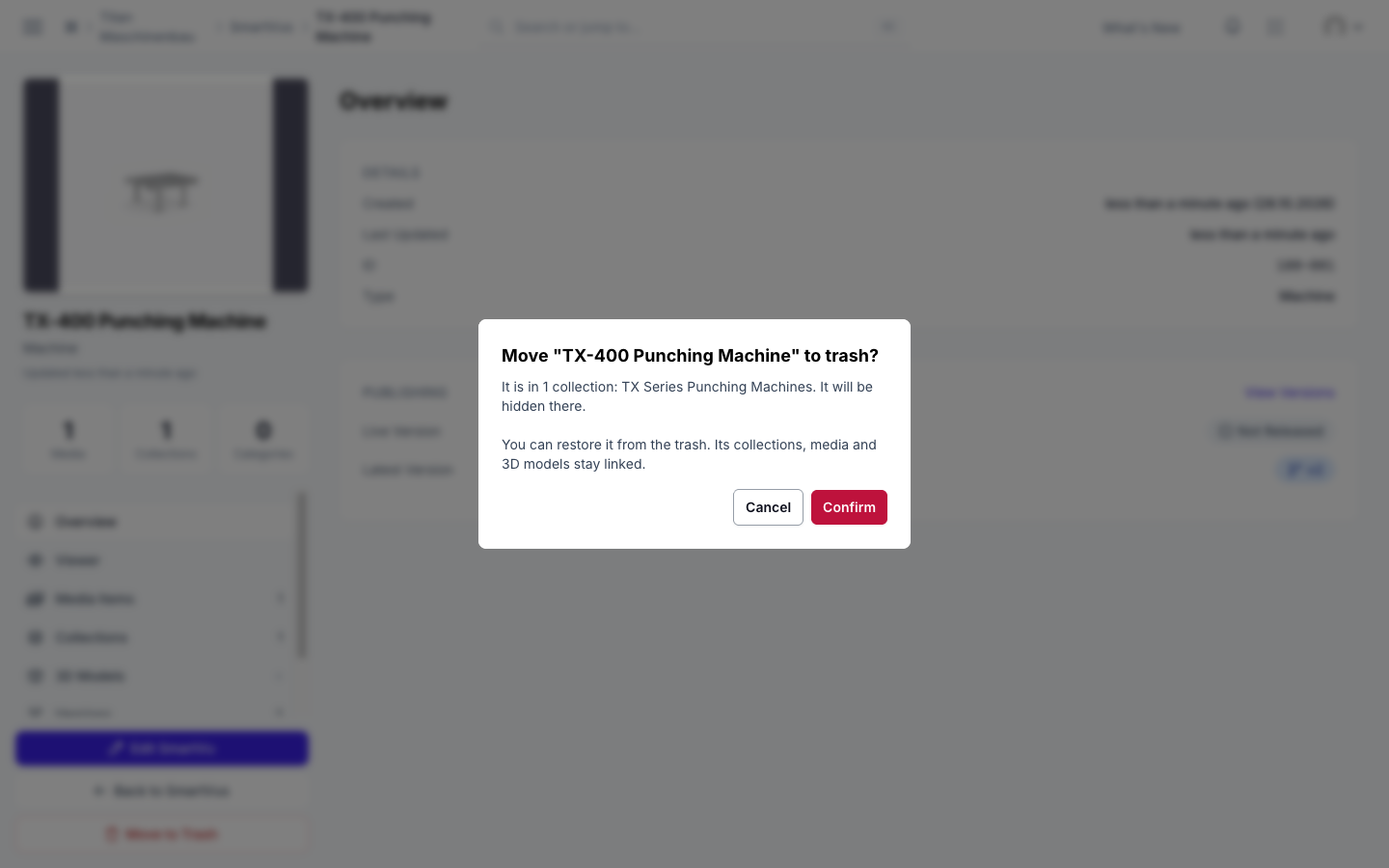
SmartVu®s can go to the trash. Click Move to Trash on the SmartVu® page or on its card. The dialog names the collections it is in. Your apps drop it with the next publish; Restore brings it back with its collections. (1.50.0)
Improved
- The Activity page is fast and says who did what. Each row names the person, with avatar, and links the changed item. SmartVu® syncs from Studio have their own rows and name the SmartVu®. Show timestamps adds the exact time. (1.45.4, 1.47.0, 1.47.1)
- Clear message for people without an invitation: "You're not in a workspace yet", with a hint to ask a colleague. Invitations sent, accepted and withdrawn now show in the member history. (1.45.6)
- The app page opens about twice as fast. (1.49.5)
- Team members who manage users can import app users from a file. The file must name a user group they may assign. (1.49.5)
Fixed
- Invited colleagues get straight in when they sign in, instead of seeing "Account not yet approved". (1.45.2)
- The dark theme is readable on every page. (1.49.1)
- Previews reach the app. A preview you picked for a media file, and a replaced preview of a collection or SmartVu®, now show in the published app too. Publish your apps again. (1.49.3, 1.50.3)
- The publishing email shows the app icon, and its subject starts with the app name. (1.49.4)