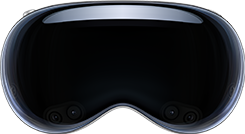
Apple Vision Pro
XR Headsets (AR/VR)Look at your Vuframe® 3D models in your room on Apple Vision Pro with Quick Look, Safari and WebXR.
Vuframe® exports your 3D models as USDZ. Apple Vision Pro opens USDZ files in AR Quick Look, so you can look at a product at real size in your room. In Safari, 3D Viewer pages can show 3D models with the HTML <model> element and in VR with WebXR.
Requirements
| Route | Minimum | Status |
|---|---|---|
Apple Vision Pro (M2, M5): Quick Look, Safari <model>, WebXR (VR) | visionOS 26 | supported |
| Old Vuframe® app for visionOS | visionOS 1.0 | legacy |
| Smartvu app | — | not supported |
| Item | Requirement |
|---|---|
| Operating system | visionOS 26 or later. We recommend visionOS 27. |
| File | USDZ export of your model |
| Open the file | Mail, Messages, Notes or Safari (AR Quick Look) |
| 3D on web pages | Safari, HTML <model> element (on by default in visionOS 26) |
| VR in the browser | Safari with WebXR (immersive VR) |
Limits
- Quick Look opens USDZ files. Other 3D formats do not open.
- WebXR on visionOS supports VR only. Immersive AR is not available.
- The Smartvu app has no visionOS version. We do not update the old Vuframe® app for visionOS, and we will remove it.