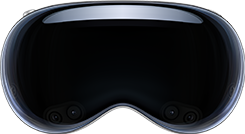
Apple Vision Pro
AR & XRView your Vuframe 3D models in your space on Apple Vision Pro with the USDZ export and Quick Look.
Vuframe® exports your 3D models as USDZ. Apple Vision Pro opens USDZ files with Quick Look, so you can look at a product at real size in your room.
Add Vuframe content to Apple Vision Pro
- Download the USDZ export of your model from Vuframe.
- Send the file to yourself, for example by Mail or Messages, or put it on a web page.
- On Apple Vision Pro, open the file in Mail, Messages, Notes or Safari. Quick Look shows the model in 3D.
- To place the model in your room, drag it to an empty location in your space.
Good to know: Safari in visionOS 26 also shows USDZ models inline on web pages with the HTML <model> element. Drag the model out of the page to view it with Quick Look. Supported formats: 3D formats. Apple docs: AR Quick Look and the HTML model element on Apple Vision Pro.